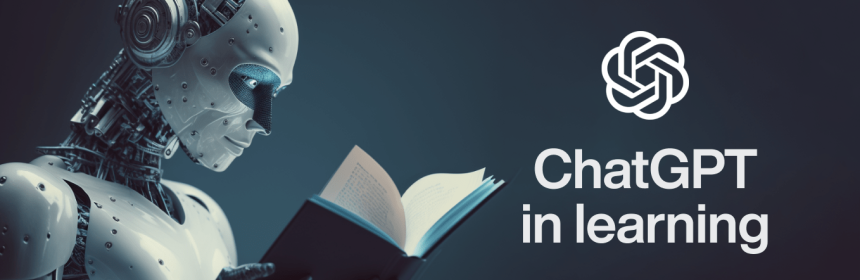
AI-powered tools like ChatGPT are popping up everywhere. Seriously… it feels like one day we were just googling questions, and suddenly there’s a tool that not only finds answers but talks back, helps solve problems, and even explains step-by-step. Students all over the world are figuring out how to use AI for schoolwork and personal projects. Some use it carefully; others… well, they try to make it do all the work.
But here’s the thing: AI works best when you treat it like a study partner, not a shortcut machine. Used right, it can help you learn faster, stay curious, and build stronger skills. Used wrong, it can make you dependent or even mislead you.
So let’s break down how ChatGPT and similar tools can support your learning—without turning your brain into a lazy sponge.
First: Understand What ChatGPT Actually Is
A lot of people think ChatGPT is like a search engine. It’s not. It generates responses based on patterns it learned from vast amounts of text. It predicts what words should come next. This means it can explain concepts, summarize text, brainstorm ideas—but sometimes it also makes mistakes. Little ones, or sometimes surprisingly big ones.
So, treat it like a helpful tutor sitting next to you… not like an all-knowing authority.
1. Use AI to Understand Hard Topics
Ever read a paragraph from your textbook and feel nothing makes sense? Yeah, same. That’s where AI can help. Just paste the passage, ask it to explain like you’re 10 years old—or like you’re half asleep and need the “version for dummies.” It will break things down into smaller chunks. Suddenly, tricky ideas feel lighter.
You can also ask for analogies:
“Explain photosynthesis like it’s making lemonade.”
Silly, but surprisingly useful. Your brain remembers stories way better than raw facts.
2. Summarize and Review Faster
If you’re short on time (we’ve all been there), you can ask ChatGPT to summarize long articles or research papers. It gives the main points quickly, which is great for review sessions. But don’t rely only on summaries. They miss nuance.
Better approach:
- Read the AI summary
- Skim original text
- Ask questions about unclear parts
That builds understanding instead of just memorizing.
3. Ask It to Quiz You
AI is great at making instant practice questions.
You can say:
“Quiz me on the causes of World War I. Multiple choice, please.”
or
“Give me flashcards for Spanish vocabulary.”
When you answer, ask it to check. Seeing mistakes in real time helps your brain fix gaps before exams.
It feels almost like having a personal tutor on standby—except this one doesn’t get tired at 2 a.m.
4. Use AI to Learn Different Perspectives
One of the coolest things: you can ask AI to argue from different viewpoints. This is huge for subjects like literature, history, philosophy… where the answer isn’t just right or wrong.
For example:
“Explain the theme of ambition in Macbeth from Macbeth’s viewpoint. Now from Lady Macbeth’s.”
This helps you think more critically—beyond memorizing quotes.
5. Help With Writing… But Don’t Let It Write for You
Let’s be honest. Some students just ask AI to write their essays. Sounds easy, but it’s a terrible habit. Schools are getting better at spotting AI text, and more importantly… you learn nothing from copying.
A smarter way:
- Brainstorm topics
- Outline arguments
- Ask for examples to inspire thoughts
- Get feedback on your draft
- Ask it to explain grammar mistakes
Think of it like a writing coach.
You do the work. AI helps you refine it.
6. Explore New Subjects Without Pressure
Want to learn something random… like how Roman aqueducts worked or what quantum computing actually means? AI tools give you a soft introduction before you dive into textbooks or videos. You can ask follow-up questions without feeling embarrassed—there’s no judgment.
This makes learning web-shaped instead of linear. You follow curiosity. One topic leads to another. That’s how some of the best ideas are born.
7. Learn Study Techniques and Time Management
AI can help more than just content. If you struggle with planning, ask it:
“Make me a weekly study schedule for 5 subjects.”
or
“How do I stay focused while reading?”
It can teach you memory strategies, note-taking methods, and how to break tasks into smaller pieces. Sometimes what you need isn’t more knowledge—it’s a better way to organize.
8. Check Accuracy (Because AI is Not Perfect)
AI can be wrong. Sometimes confidently wrong. So always double-check facts, formulas, citations. If you’re working on something important—research, medical info, historical dates—cross-verify with real sources. Trust, but verify.
This step trains your brain to think critically—something AI can’t do for you.
9. Keep Ethics in Mind
Using AI responsibly matters. Copy-pasting answers into homework or essays isn’t just risky—it stops you from actually learning. And honestly, it shows later. You can’t build skills on shortcuts.
Better mindset:
“How can I use AI to learn, not avoid learning?”
Teachers can actually encourage AI use—if students use it properly. It’s becoming part of education anyway, so the goal is learning how to use it wisely.
10. Blend AI With Real Resources
AI is powerful, but it can’t replace:
- Books
- Real teachers
- Class discussions
- Hands-on practice
Use AI as a supplement, not a replacement. Think of your learning toolbox. AI is just one tool—not the whole kit.
Final Thoughts
Artificial intelligence is reshaping how students learn. It can explain tricky topics, quiz you, guide your writing, and show you new worlds. But the real magic doesn’t happen when AI does the work—it happens when you use AI to learn more deeply.
It’s not about replacing your brain. It’s about enhancing it.
So treat AI like a helpful study buddy. Curious. Sometimes clumsy. Always willing to help. The more wisely you use it, the farther you’ll go.
And maybe that’s the real future of learning—humans and machines working together, not to take shortcuts, but to expand what’s possible.