
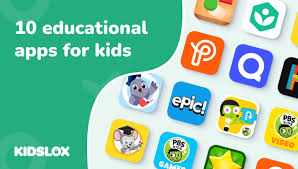
Technology has become an important part of children’s learning today. Instead of only textbooks and notebooks, children now learn through tablets, phones, and computers as well. Educational apps make learning easier, fun, and more interactive. They help children understand difficult topics through games, videos, quizzes, and creative tasks. But one question parents often ask is: Which educational apps are best for kids?
In this article, we will explore some of the best educational apps for kids and how these apps can support learning, creativity, and skill development.
Why Educational Apps Are Useful
Educational apps are designed to make learning exciting. When kids learn through play, they remember better and stay interested longer. Apps also allow children to learn at their own speed, without pressure. If a child doesn’t understand something, they can repeat it as many times as they want.
Benefits of educational apps include:
- Makes learning enjoyable
- Improves problem-solving and creativity
- Encourages independent learning
- Helps build confidence
- Supports different learning styles (visual, audio, interactive)
Top Educational Apps for Kids
1. Khan Academy Kids
This is one of the most popular free learning apps. It includes reading, math, science, drawing, and imagination activities. It also includes stories and phonics for early learners.
Why it’s great:
- Completely free
- Fun animated characters
- Encourages gradual learning stages
2. ABCmouse
ABCmouse is designed for early childhood learning. It teaches letters, words, counting, colors, shapes, and early science.
Why it’s great:
- Structured learning path
- Fun games and songs
- Good for ages 2–8
3. Duolingo
Duolingo helps kids learn languages like Spanish, French, English, German, and more through small daily lessons.
Why it’s great:
- Very engaging
- Colorful rewards motivate kids
- Perfect for building vocabulary
4. YouTube Kids (Educational Channels Only)
With parental supervision, YouTube Kids offers science experiments, history explanations, reading lessons, and more.
Why it’s great:
- Huge library of learning videos
- Useful for visual learners
Parents should guide what the child watches.
5. Prodigy Math
Prodigy makes math practice feel like a fantasy adventure game. Kids solve math problems to earn rewards in the game.
Why it’s great:
- Makes math fun
- Encourages consistent practice
- Built-in progress tracking
How Parents Can Support Learning
Even the best app cannot replace a parent’s involvement. Parents should:
- Set learning schedules
- Sit with the child during first few sessions
- Avoid overuse (30–60 minutes is enough)
- Encourage discussion about what they learned
Balanced screen time is key.
Conclusion
Educational apps can be wonderful tools for learning when used in the right way. They can turn study time into playtime and help children gain confidence in their skills. With guidance and healthy screen habits, these apps can truly support a child’s growth and development.












Leave a Reply